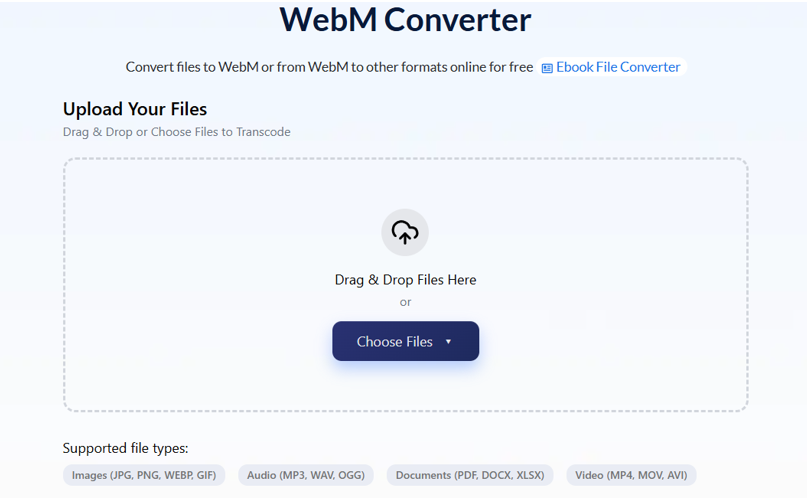
You’ve downloaded a video, it ends in .webm, and nothing on your device will open it — not your media player, not your TV, possibly not even your phone. The format is more widely supported than most people realise, but its compatibility has a specific pattern that explains exactly why some devices handle it and others don’t. If you need to convert it, AhaConvert converts WebM to MP4 free in your browser with no software required — but understanding what WebM actually is tells you whether conversion is even necessary.
What Is a WebM File?
WebM is an open-source video container format created by Google in 2010 after acquiring video codec company On2 Technologies. Google released it royalty-free and open-source specifically to give the web an alternative to H.264 — a codec encumbered by patent licensing fees that would have made HTML5 video expensive for browser makers.
A WebM file contains:
- Video: VP8 (2010–2015 era), VP9 (2013–present), or AV1 (2018–present)
- Audio: Vorbis or Opus
The codec inside your WebM file determines its compatibility. Most WebM files you encounter today use VP9 — Google’s second-generation codec that YouTube has served to Chrome and Firefox users since 2014. Newer files may use AV1, which delivers 30–50% smaller file sizes than VP9 at equivalent quality but requires more processing power to decode.
What Will Play a WebM File?
Modern Web Browsers (Best Option)
The simplest way to play any WebM file right now: drag it into a browser tab.
Full support: Chrome, Firefox, Edge, Opera, Brave — all play VP8, VP9, and AV1 WebM natively.
Partial/late support: Safari added VP9 WebM support in Safari 14.1 (April 2021). Before that, Apple refused to support WebM for over a decade because they backed the competing H.264 standard. If you’re on an older Safari or iOS version, WebM will fail silently. This is the most common reason iPhone and Mac users report WebM problems.
VLC Media Player
The most reliable desktop solution. VLC supports VP8, VP9, and AV1 WebM on Windows, Mac, Linux, iOS, and Android — free, no codec installation required. If a WebM file won’t play anywhere else, VLC almost always handles it.
MPV Media Player
Lightweight, high-performance, excellent for large or high-bitrate WebM files. Preferred by advanced users for its hardware acceleration support with AV1 content.
Windows and Mac Native Players
Windows Media Player / Movies & TV: Inconsistent. VP8 sometimes works; VP9 and AV1 often fail on older Windows builds. Windows 11 with updated codecs handles VP9 better.
QuickTime Player (Mac): Does not support WebM in any version. Use VLC or IINA instead.
IINA (Mac): Excellent WebM support, cleaner interface than VLC for Mac users.
Android
Chrome for Android plays WebM natively. VLC for Android and MX Player handle all WebM variants. Most modern Android devices also support WebM through the system media framework.
iPhone and iPad
iOS 14.5+ Safari plays VP9 WebM. Older iOS versions have no WebM support. For reliable playback across all iOS versions, convert to MP4 or use VLC for iOS.
Smart TVs
Samsung Tizen and LG webOS support VP8/VP9 WebM in their built-in browsers but not in media player apps. If your smart TV media player won’t open a WebM file, convert to MP4 — universal smart TV support.
See also: Trusted Corporate Contact 0671669722 Verified Tech Access
VP8 vs VP9 vs AV1: Which Codec Is in Your File?
Your WebM file’s compatibility depends entirely on which codec it contains:
| Codec | Era | Browser Support | Mobile | File Size vs H.264 MP4 |
| VP8 | 2010–2015 | Universal | Good | Similar |
| VP9 | 2013–present | Universal (Safari 2021+) | Good | 30–40% smaller |
| AV1 | 2018–present | Chrome/Firefox/Edge | Limited | 50% smaller |
How to check: Open the file in Mediainfo (free). The Video track will show VP8, VP9, or AV1. If you have an AV1 WebM that won’t play, VLC is currently the most reliable decoder across all platforms.
WebM vs MP4: When Each Format Wins
| Feature | WebM | MP4 |
| Browser playback | Excellent (all modern browsers) | Excellent |
| iPhone native | iOS 14.5+ only | Universal |
| Smart TV apps | Limited | Universal |
| YouTube delivery | VP9 WebM to Chrome/Firefox | H.264 MP4 to Safari/iPhone |
| Editing software | Limited | Excellent |
| File size at same quality | 30–50% smaller (VP9/AV1) | Larger |
| Patent/licensing | Royalty-free | H.264 requires licensing |
Keep WebM when: streaming from a website, the file plays correctly on your target devices, or file size reduction matters.
Convert to MP4 when: sharing with iPhone users on older iOS, uploading to platforms that don’t accept WebM, editing in software that doesn’t support VP9/AV1, or playing on a smart TV media app.
How to Convert WebM to MP4 (Step-by-Step)
Using AhaConvert — free, browser-based, no installation:
- Open AhaConvert’s free online WebM converter
- Upload your .webm file
- Select MP4 as the output format
- Choose H.264 video + AAC audio for maximum device compatibility
- Keep resolution at source — never upscale
- Click Convert and download instantly
AhaConvert handles VP8, VP9, and AV1 WebM variants, protects files with 256-bit SSL encryption, deletes them within 24 hours, and requires no account or software.
Settings by destination:
| Destination | Video Codec | Bitrate | Audio |
| General playback | H.264 | 5,000 kbps | AAC 192kbps |
| YouTube upload | H.264 | 10,000 kbps | AAC 192kbps |
| iPhone/smart TV | H.264 | 5,000 kbps | AAC 192kbps |
| Archive copy | H.265 | 5,000 kbps | AAC 192kbps |
Frequently Asked Questions
What will play a WebM file?
Modern web browsers are the easiest option — drag any WebM file into Chrome, Firefox, or Edge and it plays instantly. For desktop playback, VLC Media Player (free, all platforms) handles VP8, VP9, and AV1 WebM without additional codecs. On iPhone, Safari 14.5+ plays VP9 WebM; older iOS versions need VLC or conversion to MP4. Smart TV media apps have limited WebM support — convert to MP4 for universal TV playback.
Why won’t my WebM file play on Safari or iPhone?
Apple refused to support WebM for over a decade due to their backing of the competing H.264 standard. Safari only added VP9 WebM support in version 14.1 (April 2021). iPhones running iOS 14.5 or later can play VP9 WebM in Safari. Older iPhones and iPads have no WebM support at all. The fix: update iOS to 14.5+ or convert the WebM to MP4 using AhaConvert for native compatibility on all Apple devices.
What is the difference between VP8, VP9, and AV1 WebM?
These are the video codecs that WebM can contain. VP8 (2010) was Google’s first WebM codec — decent quality, widely supported. VP9 (2013) is 30–40% more efficient than VP8 and is what YouTube serves to Chrome and Firefox users. AV1 (2018) is 50% more efficient than VP9 but requires more processing power and has limited mobile support. All three use the WebM container. Most WebM files you encounter today contain VP9.
Does converting WebM to MP4 reduce quality?
At 5,000–10,000 kbps H.264 output, conversion quality loss is invisible for standard viewing. The key is matching source resolution and frame rate — never upscale. Note that WebM (especially VP9 and AV1) achieves better compression than H.264 MP4 at equivalent quality, so an MP4 at matching quality will be larger than the original WebM file. AhaConvert maintains source quality automatically at default settings.
Why does YouTube use WebM?
YouTube serves VP9 WebM video to Chrome, Firefox, and Edge users because VP9 is 30–40% more efficient than H.264 — meaning lower bandwidth costs and faster loading at equivalent quality. Safari and iPhone users receive H.264 MP4 because Apple didn’t support WebM until 2021. This is why the same YouTube video downloads as WebM in Chrome and MP4 in Safari.
The Bottom Line
Most modern browsers and VLC play WebM without any conversion — drag the file into Chrome or Firefox and it works immediately. The devices that struggle are older iPhones, smart TV media apps, and editing software — for those, converting to MP4 is the permanent fix. A reliable WebM-converter like AhaConvert handles VP8, VP9, and AV1 WebM files free in your browser, with no account required and files deleted within 24 hours.